Opero
AI Workflow Automation Platform
Opero helps teams turn natural language into automated workflows, connect tools, and execute business processes faster.
Designer
My Role
3 Days
Timeline
MVP Design
Deliverables
01 THE PROBLEM
Workflow automation felt
powerful, but too technical to use.
Opero was designed for users who need automations but do not think like developers. The challenge was to make complex workflow logic feel simple, guided, and safe without sacrificing flexibility.
Too technical
Most automation tools feel like they were built for technical teams, not everyday operators.
Complex workflow logic
Even simple automations quickly become confusing when conditions, branches, and rules stack up.
Fear of breaking things
Non-technical users hesitate to automate because they are unsure what will happen after launch.
Hard to understand
Existing tools expose too many settings, making workflows difficult to understand at a glance.
The core challenge was to preserve the power of complex workflows while making the experience simple enough for non-technical users to build with confidence.
02 THE SOLUTION STRATEGY
Powerful workflows.
No technical complexity.
Built by anyone.
I designed Opero around simplicity: users should be able to explain what they need, understand what gets built, and launch automations without technical fear.
Plain language
Let users describe automations without thinking like developers.
01
Guided building
Turn complex workflow logic into clear, editable steps.
02
Safe execution
Help users understand, test, and launch workflows confidently.
03
HOW IT WORKS
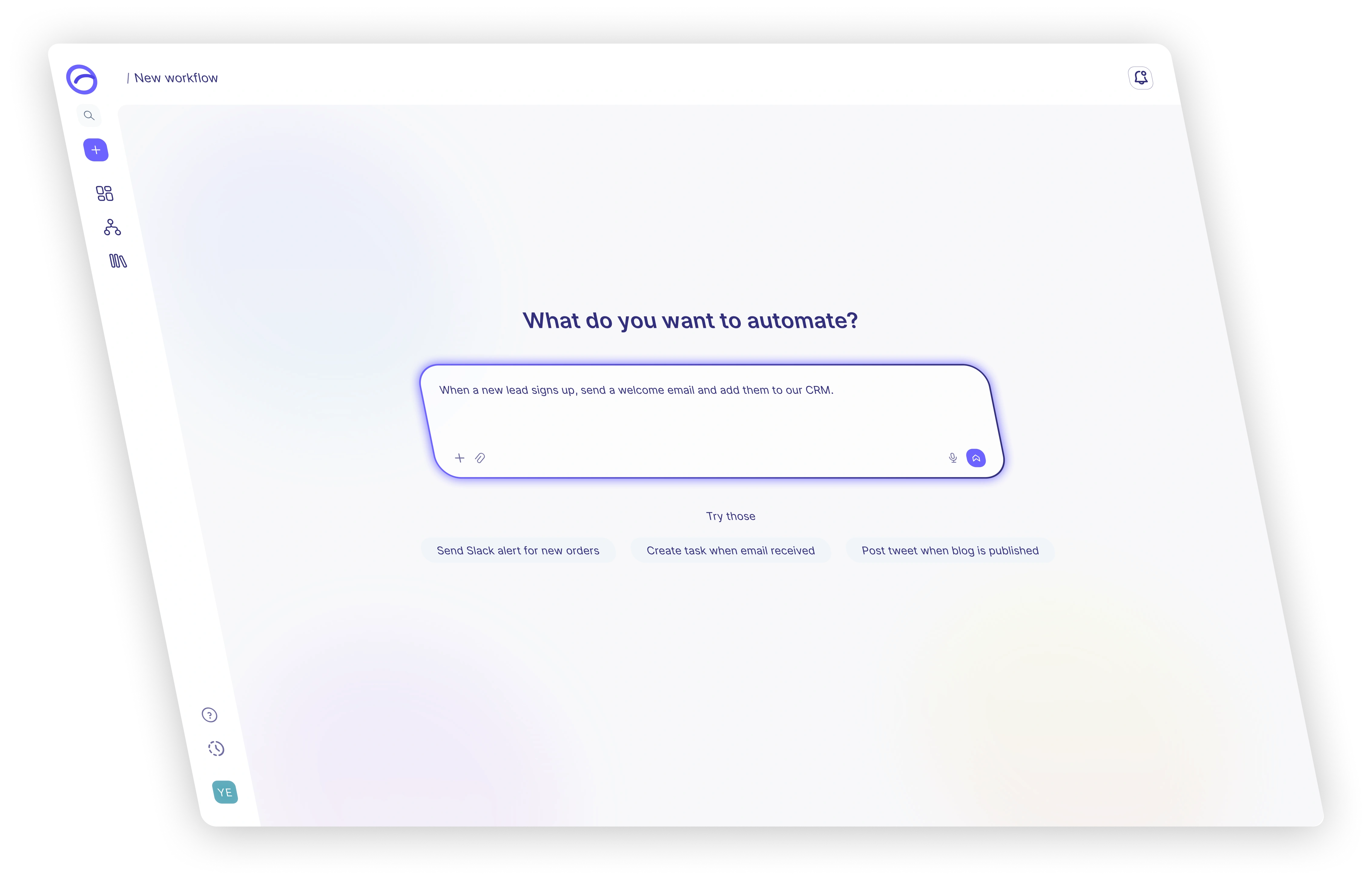
Describe
The user explains the automation they need in plain English.
Generate
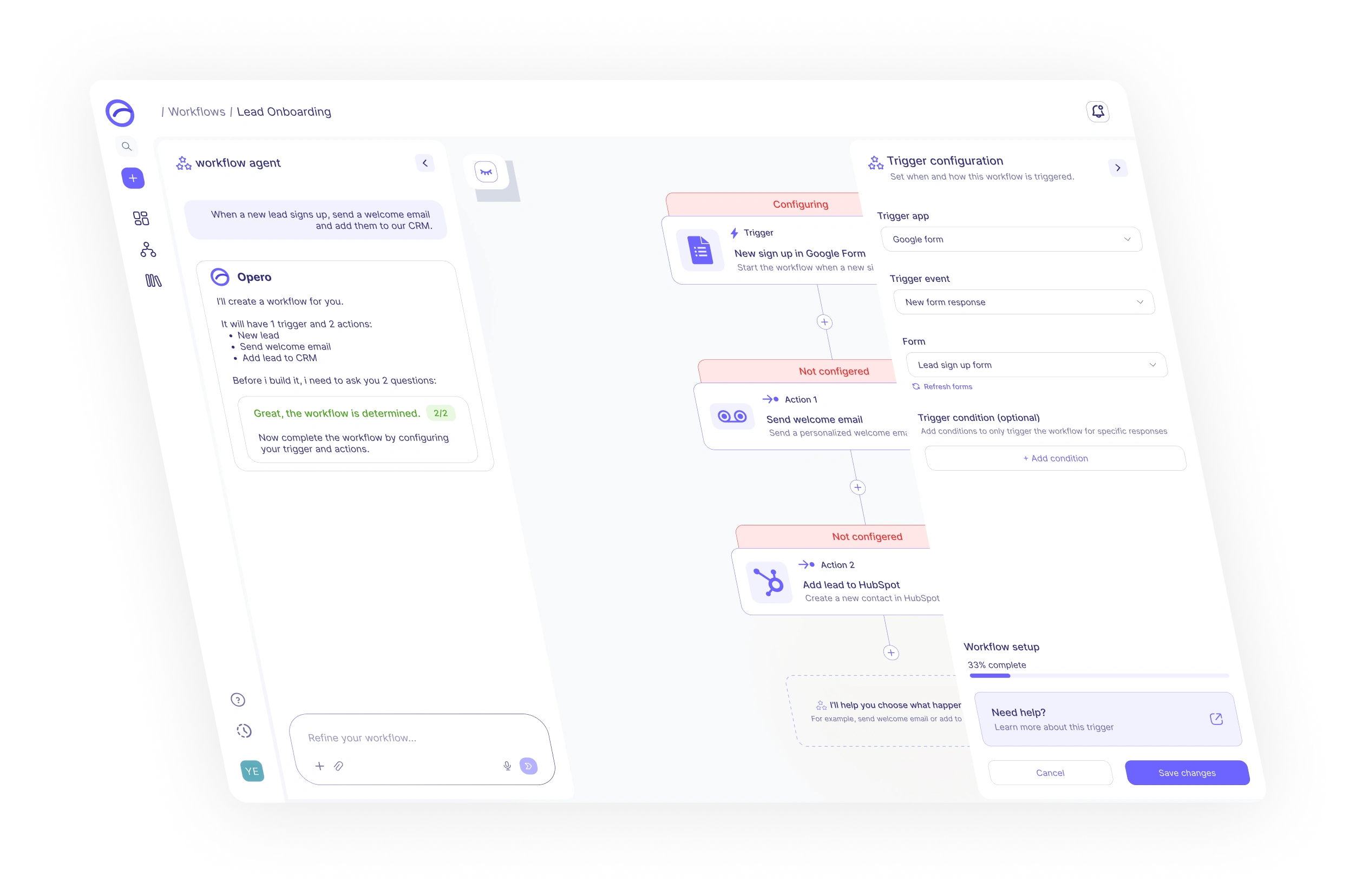
Opero converts the request into a structured workflow draft.
Refine
Users edit steps, conditions, and rules through a simple visual flow.
Launch
The workflow is tested, confirmed, and activated with confidence.
The result: complex workflow power wrapped in a guided, simple experience that helps non-technical users automate with confidence.
03 DESIGN EXPLORATION
Exploring simplicity.
Designing powerful workflows.
I explored different ways to make automation feel simple for non-technical users while still preserving the depth needed to build advanced workflows, conditions, and multi-step processes.
04 DESIGN SYSTEM
Designed for simplicity.
Built for complex flows.
Opero’s design system keeps automation approachable through clear hierarchy, calm surfaces, guided actions, and reusable workflow components.
Typography
A clean readable type scale that makes workflow logic easy to scan.
Aa
Inter
Clear interface typography for non-technical users.
Colors
A calm automation palette built around trust, clarity, and guidance.
Text 1
#182B7A
Text 2
#54639D
Brand Primary
#6672FD
Brand Dark
#323A90
Surface Muted
#EEF0FF
Surface Light
#F8F9FF
Success
#8FE36A
Error
#FF7B7B
Components
Reusable components that make automation creation feel guided, predictable, and safe.
Buttons
Inputs
Workflow UI
05 FINAL PRODUCT SHOWCASE
The final product.
Built for real automation.
A look at the final Opero experience, from AI-powered workflow creation to execution monitoring, activity tracking, and workflow management.
PRODUCT SCREENS